Skill Tiers

See Exactly Where Every Student Stands

Each topic receives a skill tier — Beginner, Intermediate, Advanced, or Mastery — calculated from accuracy, response time, and problem difficulty. No more guesswork about what to teach next.

  • Trend Indicators

    Every skill is tagged Improving, Declining, or Stable so tutors can spot momentum shifts before they become problems.

  • Staleness Warnings

    Skills practiced 14+ days ago get a warning badge; 30+ days triggers an urgent flag. Keep coverage gaps from hiding in plain sight.

  • Speed Risk Alerts

    Students answering 30% or more slower than their peers are flagged automatically, helping tutors address pacing issues early.

  • Group Insights

    Select up to 8 students and instantly see intersection analysis — shared weak topics, divergent strengths, and common patterns across the group.
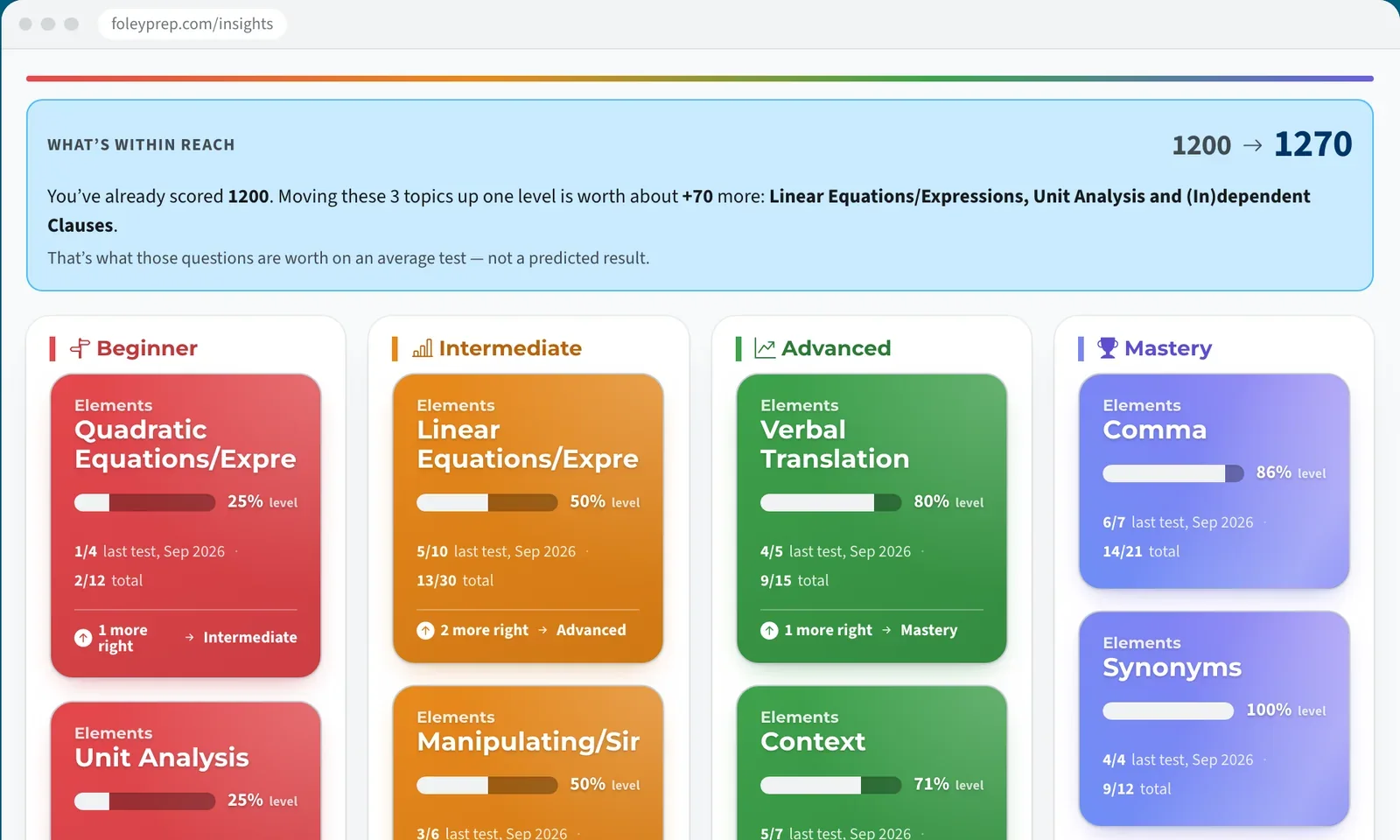
Color-coded topic board: every topic sorted Beginner to Mastery with the points within reach
Worksheet Generator

Targeted Practice in Seconds

Select the topics a student is struggling with, set the quantity per topic (up to 30 problems), and choose a time limit between 1 and 180 minutes. The generator pulls from the full problem bank to build a custom worksheet instantly.

  • Group Mode

    Generate shared worksheets for multiple students that include only problems all selected students have attempted, ensuring relevance across the group.

  • Real-Time Availability

    See exactly how many problems exist per topic before you generate. No surprises — you always know what's in the bank.

  • Flexible Configuration

    Set per-topic quantities, total time limits, and difficulty preferences to create worksheets that match exactly what the student needs.

Worksheet Generator
For Families

Answer “How Is My Child Doing?” at a Glance

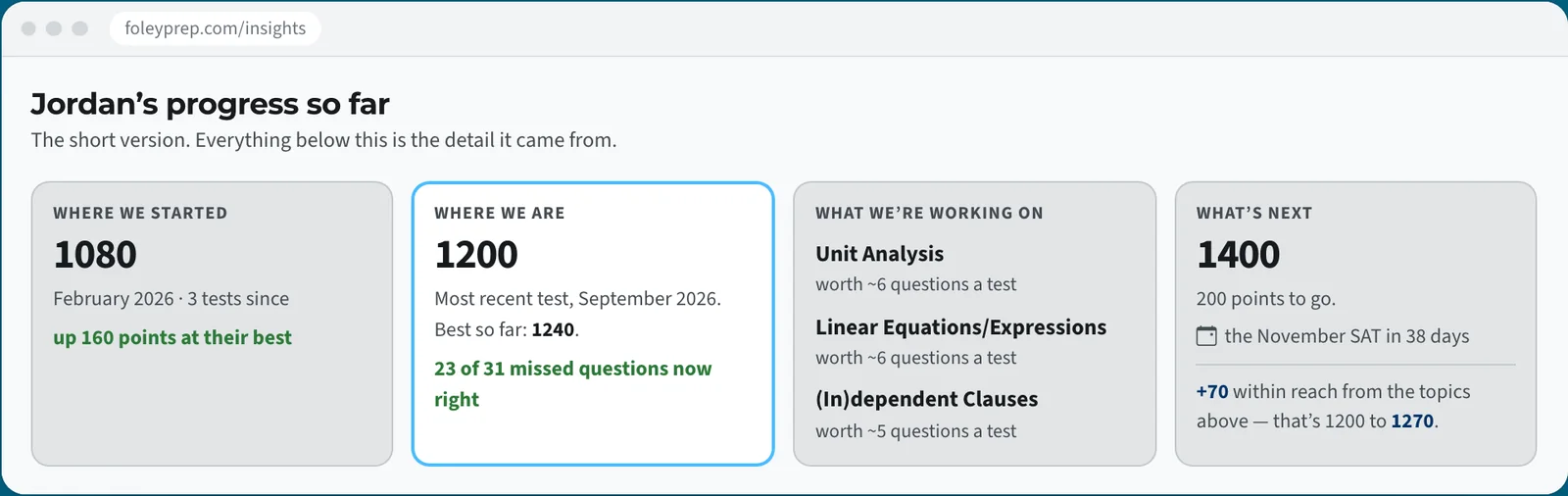
Every practice test feeds a color-coded topic board and a one-glance parent summary: where the student started, where they are now, what they're working on, and what's within reach.

  • Every Question, Every Topic

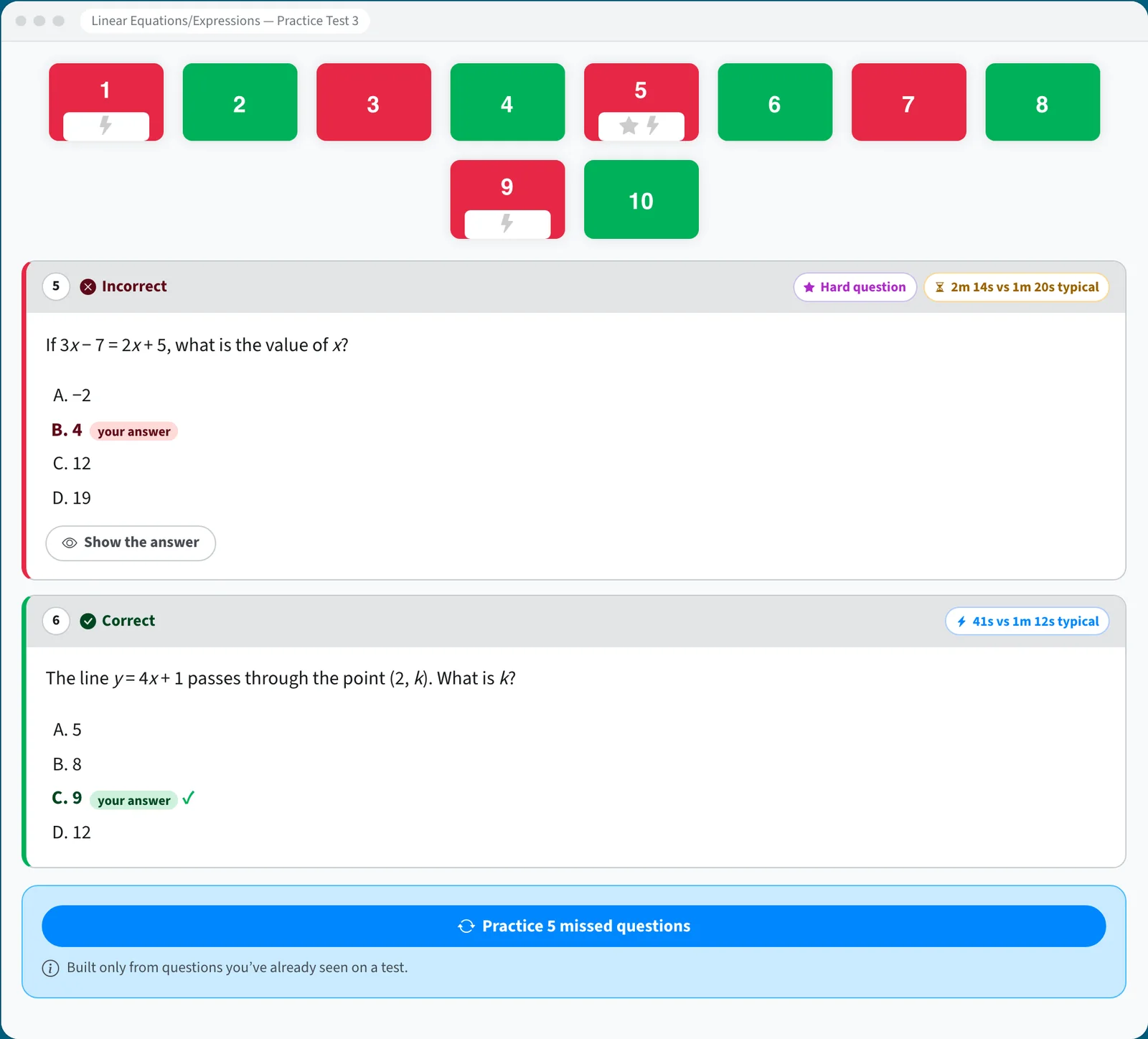
    Tap a topic to see every question on it, with time taken and how other students answered.

  • The Answer Waits

    Answers to missed questions stay hidden until the student asks, so they keep practicing.

  • Practice From Misses

    One tap turns missed questions into a focused practice set.

See it live on Foley Prep
Parent summary: where we started, where we are, what we're working on, and what's next Question-level detail for one topic, with correct and missed questions and a Practice missed questions button

Public example data from Foley Prep, October 2026.

Give Your Tutors Deeper Visibility

Turn student data into actionable insights and targeted practice — all in one place.

Book a Demo